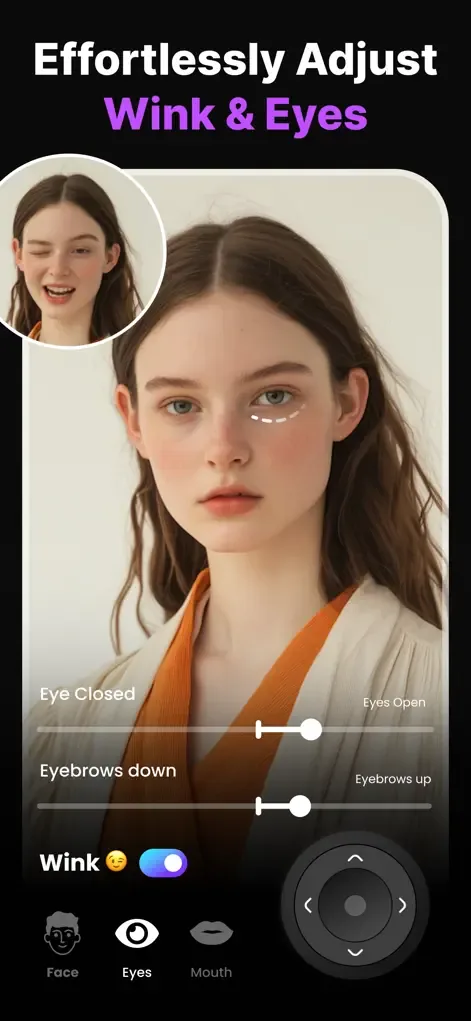
Eyes
Open closed eyes, fix a blink, change eye direction, add a wink.
Tap Fix Everything in Expression Editor - Reshot AI and get several versions of your selfie with open eyes, a relaxed smile and a look at the camera. Pick the take you like.
Fix my selfieFor iPhone. iOS 17.0 or later.
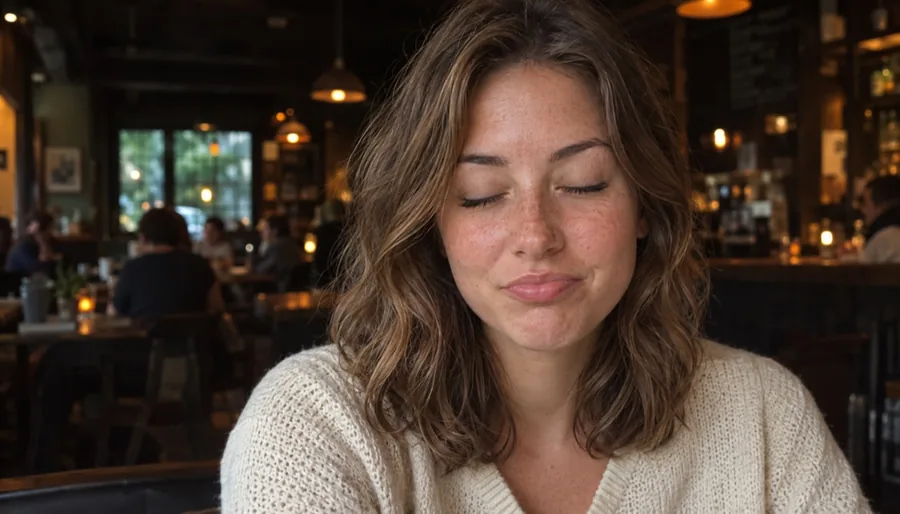



Fix Everything is a one-tap fix in Expression Editor - Reshot AI, an iPhone app. It looks at each face in the photo for closed eyes, squinting, a look away, an open mouth, a missing smile, harsh light and an awkward angle, then makes several better versions of the whole photo. It also moves food, a drink or a hand away from the mouth and removes people in the background.
For one person, Retake makes a new take with open eyes, a smile, a look at the camera or a turn of the head. For full control, the Eyes, Smile and Head tools are sliders.
The app looks at the person, or at everyone in the photo, and makes several better versions of the whole picture.
 Version 6
Sample from the app: a mid-word selfie and six versions made by Fix Everything. Tap a version.
Closed or half-closed eyes are opened.
The face is turned toward the camera.
A forced smile or a mouth caught mid-word is relaxed.
Food, a drink or a hand at the mouth is moved away, with a natural smile.
A hand on the face or a phone in front of it is moved out.
People in the background are removed.
Squinted eyes are relaxed to a natural size.
Deep shadows and shine on the face are softened.
The head is turned to a better angle.
From a soft smile to a light laugh. Tap More for extra versions, compare before and after, and find every edit later in History.
Looks shown here come from the app's selfie mood pack.
 Subtle smile


Sample edit. Drag to compare.
Retake makes a new take of one person in your photo. Choose what to fix, pick the take you like and apply it. It works on a single face or on one person in a group photo.
Open closed eyes, fix a blink, change eye direction, add a wink.
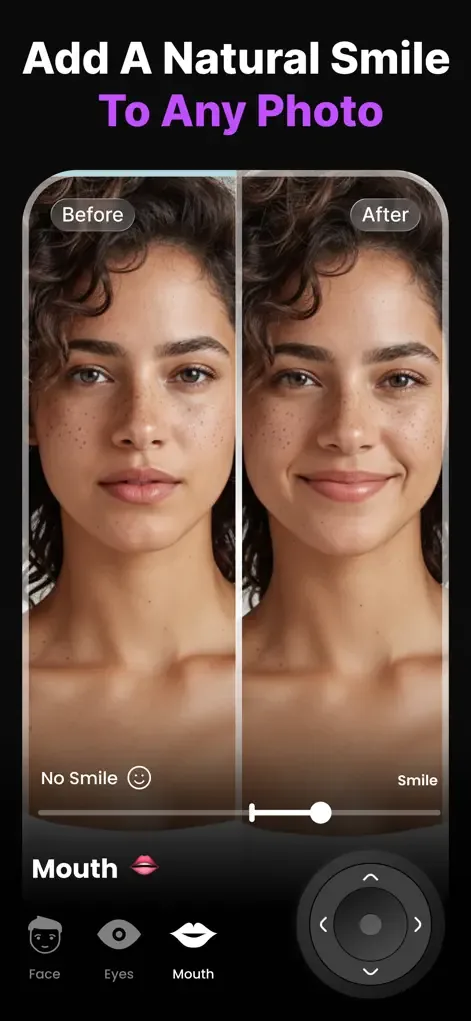
Add, soften or remove a smile. Open or close the mouth.
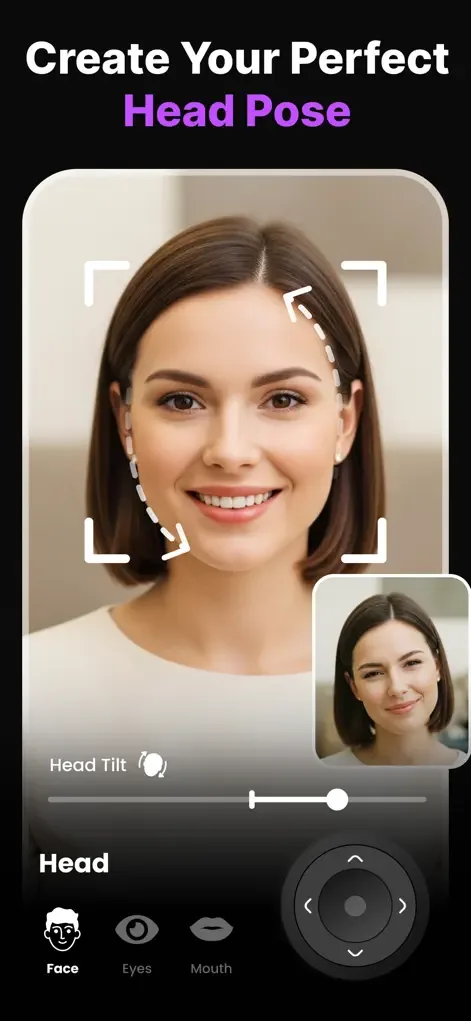
Turn or straighten the head for a more flattering pose.
Relight, golden hour and soft light. Pro headshot and photogenic looks from your own photo.
Step-by-step answers to the questions people search for, with what the app can and cannot do.
What Fix Everything looks for, and when to fix things by hand instead.
Read the guide →GuideWhy selfies miss the lens, and three ways to turn the eyes back to the camera.
Read the guide →GuideClose an open mouth, move food or a hand away, and keep a natural smile.
Read the guide →GuideClear people out of the background while fixing the faces in front.
Read the guide →Open the selfie in Expression Editor - Reshot AI and tap Fix Everything. The app finds what went wrong, such as closed eyes, a stiff smile or a look away, and makes several better versions. Pick the one you like, or fix the eyes, smile or angle yourself with a slider.
Fix Everything looks at the person, or at everyone in the photo, finds what went wrong and makes several better versions of the whole photo. It opens closed eyes, relaxes stiff smiles, fixes mid-bite shots, turns people toward the camera and removes photobombers.
Retake makes a new take of one person in your photo. Choose Fix all, Open eyes, Smile, Look at camera, Turn left or Turn right, then pick the take you like and apply it. Retake is part of Premium.
Only the area that changes is edited and skin texture is kept. Versions differ only in expression, from a soft smile to a light laugh, and you can compare each one with the original before you save.
Yes. Fix Everything looks at everyone in the photo, and the manual tools let you pick each face and edit it on its own.
Editing needs a Premium subscription or a credit pack. Prices for your country are shown in the app and on its App Store page. Subscriptions renew automatically unless cancelled at least 24 hours before the end of the current period, and can be managed or cancelled in your App Store account settings.
You choose every photo yourself, and a photo you choose to edit is uploaded so the edit can be made. The privacy policy lists who processes it, how long it is kept and how to have your data deleted. Read the privacy policy
Several unrelated apps and websites use similar names. The app is called “Expression Editor - Reshot AI” on the App Store, and its App Store ID is 6670773294. Use the download button on this site to open the right page. selfieedit.com is a website about the app; its main website is expressioneditor.app. Open the App Store page
Download Expression Editor - Reshot AI on the App Store.
Download on the App Store